What's inside CoreUI Pro Next.js Boilerplate and who it is really for
 Łukasz Holeczek
Follow Łukasz Holeczek on GitHub
Connect with Łukasz Holeczek on LinkedIn
Follow Łukasz Holeczek on X (Twitter)
Łukasz Holeczek
Follow Łukasz Holeczek on GitHub
Connect with Łukasz Holeczek on LinkedIn
Follow Łukasz Holeczek on X (Twitter)
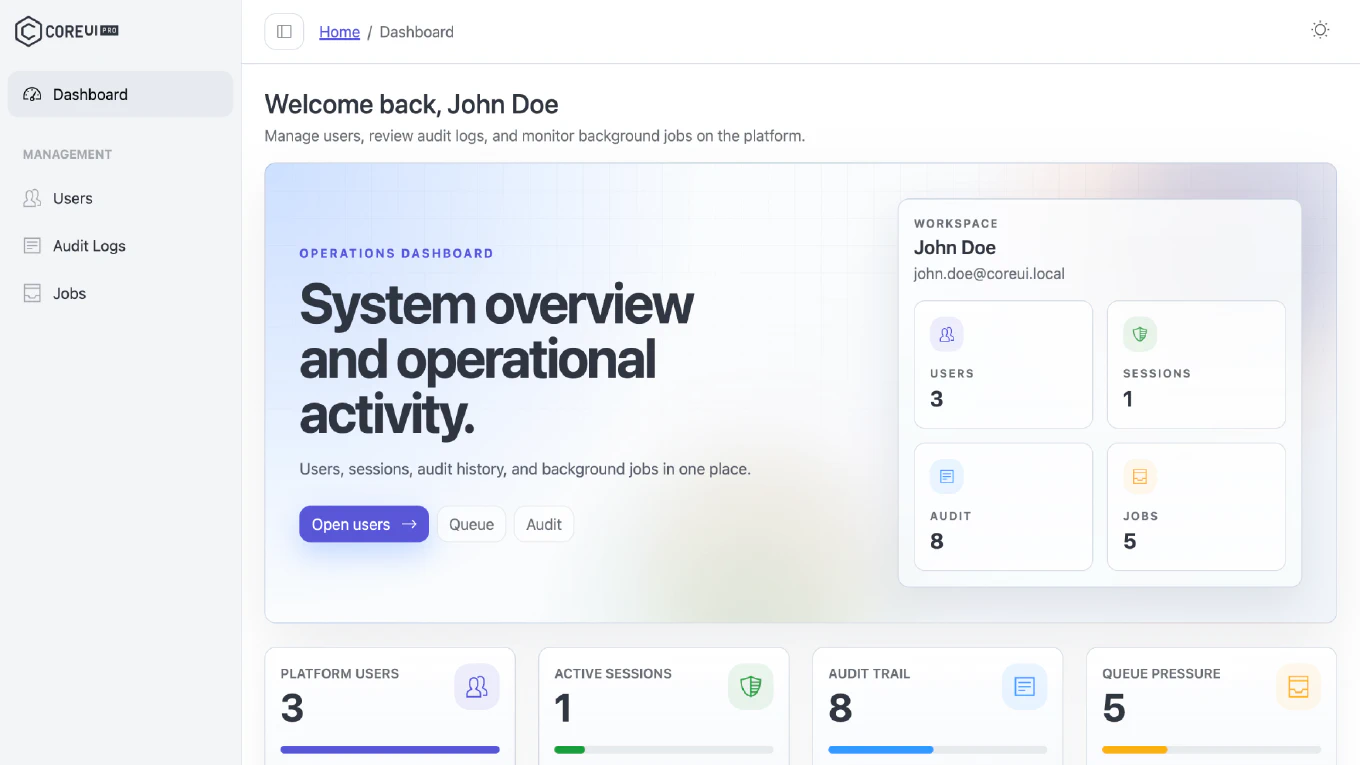
What’s inside CoreUI Pro Next.js Boilerplate and who it is really for is really a decision about speed, risk, and how much application infrastructure your team wants to build alone. For CoreUI, this matters because our Next.js boilerplate is not just a starter template. It is a production-oriented application foundation with authentication, RBAC, and the kind of structure teams usually spend weeks rebuilding internally. That changes the buying criteria. Instead of comparing screenshots, teams should compare delivery speed, maintainability, access control, and how quickly they can ship a real internal product.
Speed up your responsive apps and websites with fully-featured, ready-to-use open-source admin panel templates—free to use and built for efficiency.




The real cost of starting from scratch
Most teams underestimate what “building from scratch” actually means in practice. Picking Next.js as your framework takes an afternoon. Getting a working login screen takes a day. Building proper session handling, protected routes, and a role-based access system that doesn’t become a maintenance problem in six months — that takes weeks, and it takes weeks every single time a new project starts.
That repeated setup cost is what CoreUI Pro Next.js Boilerplate is designed to eliminate. Not by hiding the complexity, but by solving it once with production-quality patterns that your team inherits on day one.
The honest version of this tradeoff looks like this: if your team has already solved authentication, RBAC, layout composition, form validation, and data table patterns in a way you’re happy with, a boilerplate adds limited value. But if you’re starting fresh, or if you’re tired of solving the same foundational problems on every project, the question becomes whether your team’s time is better spent rebuilding infrastructure or delivering the features that actually differentiate your product.
Authentication that covers the full flow
Authentication is the most common area where internal builds accumulate technical debt quietly. A login page is straightforward. What’s harder is the full set of flows that surround it — registration, email verification, password reset, token refresh, protected route enforcement, and session expiry handling — and getting all of those to work together consistently.
CoreUI Pro Next.js Boilerplate ships all of these as working screens and logic, not as scaffolding placeholders. The login and registration flows are connected to real state management. Password reset works end-to-end. Protected routes are enforced at the layout level, so you don’t end up with the fragmented guard logic that grows across individual pages in projects that add auth incrementally.
This matters most to teams who’ve been through a project where auth was “mostly done” for several sprints. The boilerplate closes those gaps before the project timeline creates pressure to ship them half-finished.
RBAC built into the application structure
Role-based access control is the feature most commonly described as “we’ll add that later” and most commonly regretted when “later” arrives and the application’s component tree wasn’t designed to support it cleanly.
CoreUI Pro Next.js Boilerplate treats RBAC as a structural concern rather than an afterthought. Role definitions, access control checks, and permission-aware navigation are woven into the application shell, not bolted on afterward. That means when you define a new role or restrict a section to specific users, the scaffolding already knows how to respond — you’re configuring behavior rather than inventing it.
For teams building internal tools, dashboards, or multi-tenant SaaS products where different users need different capabilities, this is the kind of foundation that’s genuinely difficult to retrofit. Getting it right from the start removes an entire category of architectural decisions that would otherwise need to be made, documented, and then maintained as requirements evolve.
The dashboard shell and navigation layer
A Next.js application that handles authentication and RBAC still needs a coherent UI shell — the persistent sidebar, the top navigation bar, the breadcrumb trail, the responsive layout that holds everything together as the content changes.
CoreUI’s admin dashboard structure handles this with the same approach applied to auth: real, working implementation rather than placeholder components. The sidebar is dynamic, supporting nested navigation and role-aware visibility. The layout shell adapts cleanly between mobile and desktop viewports. The topbar includes user account controls that connect to the session state already established by the auth layer.
This is where the boilerplate’s coherence becomes visible. The navigation layer knows about the user’s role. The layout shell knows about the current route. Components that would otherwise need to be wired together independently arrive already integrated, which means your first real screens can go inside an application that already feels like a finished product rather than a construction site.
Forms, validation, and the everyday developer experience
Most admin applications spend more of their development time on forms than on anything else. Create screens, edit screens, settings pages, multi-step wizards — form-heavy interfaces are the practical workload of internal tools.
CoreUI Pro Next.js Boilerplate includes a forms foundation that covers the patterns developers actually reach for: controlled inputs, real-time validation, server-side error handling, and accessible field markup. The form examples in the boilerplate are not toy inputs. They demonstrate the patterns you’ll apply to real screens — date pickers, select fields, file uploads, validation messages tied to individual fields — and they’re built on validation approaches that scale as form complexity grows.
This matters because form infrastructure is another area where teams make early decisions that become hard to change. A validation library chosen at the beginning of a project tends to stay for the project’s lifetime. CoreUI’s implementation makes those choices with production quality in mind, which means fewer surprises as requirements get more detailed.
Data tables and CRUD screens
Internal dashboards live and die by their data tables. Pagination, sorting, filtering, inline editing, bulk actions, and responsive column management are all features that sound simple and take longer than expected to build correctly.
The boilerplate includes data table components and CRUD screen patterns that cover the common cases: sortable columns, server-side pagination hooks, row-level actions, and a layout that doesn’t break when the data gets wide. These aren’t just UI components — they’re connected to the data access patterns already established in the application, so the path from a data source to a working table in your application is a matter of configuration rather than assembly.
For teams whose internal tools need to present, filter, and act on records — which describes nearly every admin dashboard ever built — this is one of the most time-saving parts of the boilerplate. A table that handles ten thousand rows correctly, paginates server-side, and keeps its state in the URL is not a weekend project. It’s a week-long one if you’re doing it properly.
Analytics, charting, and summary views
Executive dashboards and reporting screens require a different kind of component than CRUD tables do. Charts, KPI cards, summary statistics, and time-series visualizations need to feel coherent with the rest of the application while handling data that arrives asynchronously and changes on refresh.
CoreUI Pro Next.js Boilerplate includes analytics-oriented screens that demonstrate these patterns in a working context. The charting integration is set up with real data binding rather than static mock data, which means the path to connecting your own metrics is shorter. The KPI card layouts and summary components follow the same design system as the rest of the application, so analytics screens don’t look like they were added from a different project.
This is particularly relevant for product and engineering teams building dashboards that need to earn executive trust. A dashboard that looks inconsistent or renders data with obvious placeholder styling undermines the perceived reliability of the underlying numbers. CoreUI’s analytics foundation avoids that problem.
The styling system and UI foundation
Consistency at scale comes from a design system that the whole team can use the same way. CoreUI Pro Next.js Boilerplate is built on CoreUI’s component library, which provides a comprehensive set of UI primitives — buttons, badges, modals, dropdowns, tooltips, alerts — all following the same visual language and implemented with accessibility in mind.
The styling foundation is organized so that customization happens at the token level rather than through component-by-component overrides. Changing brand colors, typography scale, or spacing applies globally rather than requiring you to hunt down every affected component. That predictability is what makes the styling system valuable to teams with multiple contributors — when everyone is customizing from the same variables, the output stays coherent even as the team grows.
The boilerplate’s setup modes and project configuration tooling — included in the .ai/skills/project-setup scaffolding — also reduce the friction of getting a new team member to their first running instance. Environment configuration, provider setup, and email integration are documented and guided, not left as discovery exercises.
Who this is actually for
CoreUI Pro Next.js Boilerplate earns its place on the shortlist for a specific kind of team and a specific kind of project.
It fits well when the team is building an internal tool, admin dashboard, or SaaS back-office product on Next.js and wants to reach a working, presentable application faster than building from scratch allows. It fits particularly well when role-based access is a real requirement — not a hypothetical future feature — and when the team has been through at least one project where auth and RBAC were painful to add after the fact.
It fits less well when the project has highly unusual UI patterns that diverge significantly from standard admin dashboard conventions, when the team already has a mature internal component library they need to integrate with, or when the primary deliverable is a consumer-facing product with design requirements that don’t map to a dashboard-style layout.
The honest version of the recommendation is this: if you’re building an admin interface and you want to skip the slow setup phase and start from something that already has authentication, role-based access, forms, tables, and a coherent layout shell, CoreUI Pro Next.js Boilerplate is worth serious evaluation. If your project is something else, the fit is worth examining carefully before committing.
What to evaluate before deciding
The most useful evaluation isn’t a feature checklist. It’s a small set of practical questions asked against your actual delivery timeline.
How quickly can the team ship the first real screen? The boilerplate’s value is front-loaded — the time savings happen at the start, when you’d otherwise be setting up infrastructure. If you need to ship something credible in the next six to eight weeks, that matters more than a feature that might become relevant in month four.
How consistent will the application be when three more engineers join? A design system and shared component library pay dividends as teams grow. The CoreUI foundation means new contributors work within the same patterns the first contributor established, rather than drifting toward inconsistency.
What does the onboarding experience look like? The boilerplate’s setup skills and reference documentation are designed to reduce the time between cloning the repo and having a working development environment. That’s worth measuring against the alternative — documenting your own setup process, handling environment edge cases, and onboarding each new team member to decisions made before they joined.
How production-ready is the auth and RBAC implementation? This is the question that most distinguishes a serious boilerplate from a template. Examining the authentication flows and role-based access patterns in detail will tell you whether this is infrastructure you’d be comfortable shipping or infrastructure you’d want to rewrite before going live.
The next step
If the use case described here matches what your team is building, the most useful next step is to explore CoreUI Pro Next.js Boilerplate directly — look at the authentication flows, the RBAC structure, and the admin dashboard shell — and validate how the foundation fits your stack, your UI patterns, and your delivery timeline.
If you’re still comparing options across admin dashboard approaches for Next.js, the admin dashboard theme overview provides a broader view of the CoreUI Next.js ecosystem. For teams evaluating multiple boilerplate options, the CoreUI boilerplate overview covers how the product family is structured across frameworks.
The right evaluation goes beyond screenshots. The architecture, the access control model, and the implementation quality of the authentication foundation are where the difference between a template and a production-ready starting point actually shows.