What a Second Click Should Do While a Dialog Is Closing
 Łukasz Holeczek
Follow Łukasz Holeczek on GitHub
Connect with Łukasz Holeczek on LinkedIn
Follow Łukasz Holeczek on X (Twitter)
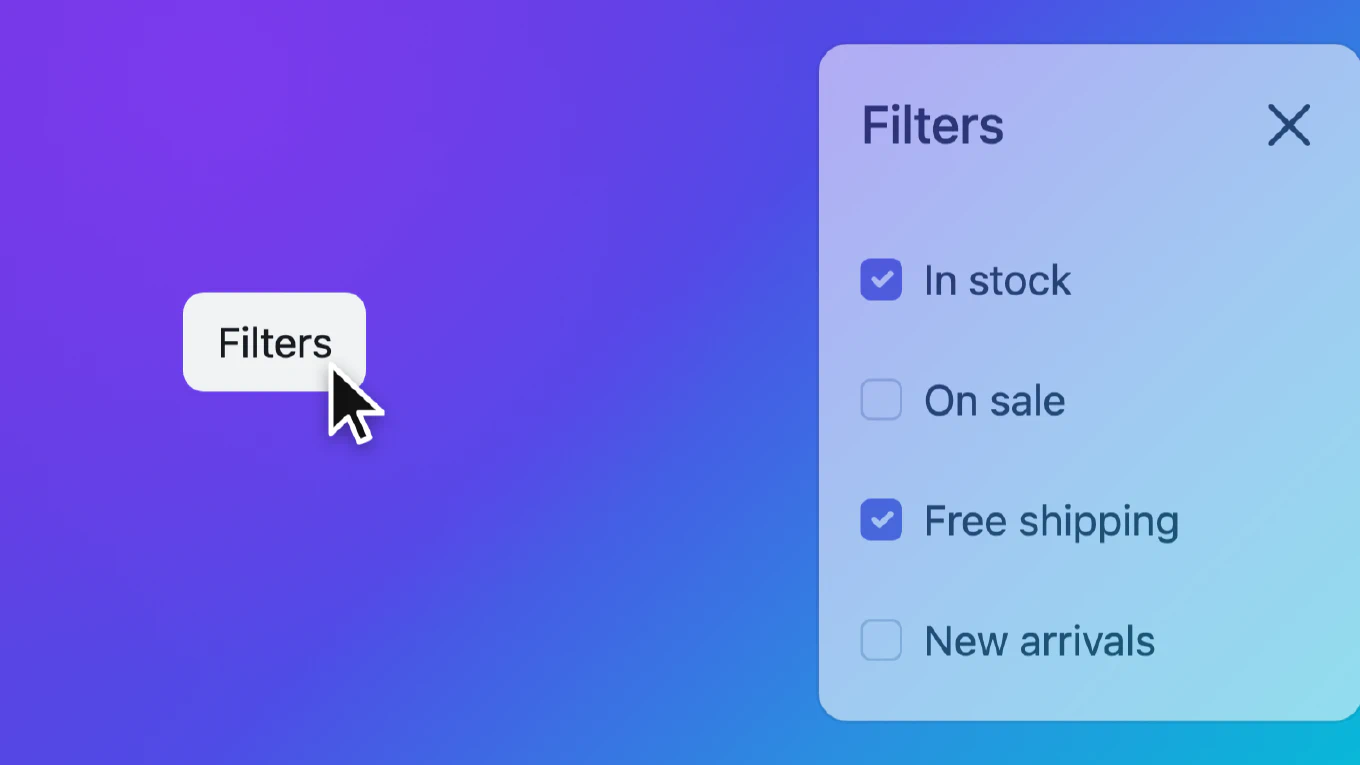
A user opens a filters panel, changes their mind and clicks the Filters button to close it. The panel starts to slide out, and halfway through they realise they wanted one more filter after all, so they click the button again.
What should happen? The panel is still on screen, still in the DOM, still
open as far as the browser is concerned. It is just on its way out. Many
dialog implementations drop that second click, so the panel finishes closing
and the user has to wait and click a third time. This guide shows how to
reopen a dialog during its closing animation instead, and the details that
make that harder than it looks.
Speed up your responsive apps and websites with fully-featured, ready-to-use open-source admin panel templates—free to use and built for efficiency.
Three possible answers
Any dialog with an exit animation has a closing window: the time between the moment it starts to close and the moment it is gone. A request to open it during that window can be:
- Ignored. The dialog finishes closing and the request is dropped.
- Queued. The dialog finishes closing, then opens again. The panel slides all the way out and all the way back in.
- Taken back. The same dialog stops closing and opens again, from wherever its animation got to.
For a user who clicks a trigger on purpose, taking it back is the answer that matches what they did. The second click gets an immediate response, the panel reverses instead of disappearing and reappearing, nothing is torn down and built again, and the user does not wait for an animation they no longer want. It is not the only defensible design: an app that must finish a close, for example one that saves on close, may prefer to ignore or queue. This guide is about the common case where closing has no side effect the user cares about.
Most libraries we looked at take the dialog back. We read their source code for this; we did not run each of them:
- React Aria (
react-aria3.53.1,react-aria-components1.22.1): the exit state goes back to open whenisOpenturns true during the exit (useExitAnimationindist/private/utils/animation.mjs). - Zag (
@zag-js/dialogand@zag-js/presence1.48.0): the presence machine goes from its “unmount suspended” state straight back to mounted (presence.machine.mjs). - MUI (
@mui/material9.5.0): itsTransitiongoes from exiting back to entering, andonExitednever fires for the interrupted close (internal/Transition.mjs). - Headless UI (
@headlessui/react2.2.10):useTransitionnotices the interrupted transition and reverses it (hooks/use-transition.js). - Radix (
@radix-ui/react-dialog1.3.1,@radix-ui/react-presence1.1.11): presence goes back to mounted and the content stays in the DOM.
They differ on focus, which we come back to below: Zag and MUI move the focus into the dialog again, React Aria and Radix do not, and from Headless UI’s minified code we concluded that it does not either.
Bootstrap’s dialog ignores the request: show() returns early while a
transition runs (js/src/dialog-base.ts, _canShow, at commit 564fc6d99).
Angular Material’s dialog reference has no way back from closing to open, and
MatDialog.open() always builds a new dialog, so a second open during the exit
gives a second dialog next to the one that is still fading out
(@angular/material 22.2.7, fesm2022/dialog.mjs).
Who can actually click during the closing window depends on the dialog. While a
modal dialog fades out, the page behind it is still inert: we clicked a button
on the page 60 ms into a 300 ms exit, in Chrome and Firefox, and the click did
not arrive. So a user can reach the trigger only when the page stays
interactive, which means a non-modal dialog or a side panel opened without a
backdrop. Page code can still call your open() on a modal during its exit,
so the rules below apply to both.
Three kinds of state
During the closing window three things say different things about the dialog:
- DOM state.
dialog.openis stilltrue. The browser keeps the dialog open until you callclose(), which you do when the animation ends. - Visual state. A class such as
.closingdrives the CSS transition out. - Logical state. A close is pending: a callback is waiting for the end of the transition to finish the close.
Only the logical state answers “is this dialog closing?” correctly.
dialog.open says yes, it is open. The class says what the CSS should do, and
it may be missing (a dialog without animation) or set by something else. Base
every decision on the pending close: whether open() is a reopen, what a
toggle does, and which panel counts as open.
 closed ──open()──▶ open ──close()──▶ closing ──transition ends──▶ closed
                      ▲                  │
                      └───── open() ─────┘
                 (cancel the pending close)
Why taking it back is harder than it looks
The close is still pending
When the closing wait ends, the close finishes its work: it calls
dialog.close(), releases the page scroll lock if it took one, gives the focus
back to the trigger and fires a “closed” event.
If you open the dialog again and leave that wait in place, all of that still happens a moment later, on a dialog the user has just reopened. Keep the wait cancellable, and cancel it when the dialog opens again. Keep one pending wait per dialog, so that any new open or close replaces the old one.
showModal() will not help you
The obvious way to “open again” is to call the same method you open with. It does nothing useful. We tried it in Chrome and Firefox:
showModal()on a modal dialog that is still open does nothing at all, and the focus stays where it was.show()on a non-modal dialog that is still open does nothing either.- Calling the other one,
show()on an open modal orshowModal()on an open non-modal dialog, throwsInvalidStateError.
So the browser runs none of its opening steps: no focus move, no new entry in the top layer. Whatever the opening would have done, the reopen has to do itself.
The focus has to move
On a normal opening, the browser moves the focus into the dialog. On a reopen it does not, and in a non-modal dialog the focus is exactly where the user left it: on the trigger they just clicked, outside the dialog. Two things break:
- A screen reader user is not told that the dialog came back. Nothing they can hear changed.
- If your dialog listens for Escape on itself, which a non-modal
dialog has to because it gets no native
cancelevent, Escape does nothing until the user tabs into the dialog.
So when the dialog opens again and the focus is outside it, move the focus in.
Our helper below tries the element with autofocus, then each focusable
element in turn, then the dialog itself, and keeps the first one that actually
takes the focus. When the focus is already inside, leave it alone. A modal
dialog holds the focus during its exit, so on a reopen the user is still on the
control they were using.
That order is close to what Chrome and Firefox do when they open a dialog, but
it is not identical, and the two browsers do not agree with each other on two
cases. With autofocus on the <dialog> element itself, Chrome focused the
first button and Firefox the dialog. With a first element that has
tabindex="-1", Chrome focused it and Firefox skipped to the next one. Our
helper looks for autofocus inside the dialog only and skips tabindex="-1".
We did not test Safari. If your dialogs rely on either case, decide which
behaviour you want and write it down.
Also keep the element the focus should go back to when the dialog finally
closes. Record it on the first opening and do not overwrite it on a reopen.
Otherwise the return target becomes the trigger clicked during the exit, which
is usually the same button, or nothing at all when page code reopened the
dialog. If that element is gone from the page by the time the dialog closes,
focus() on it does nothing, so the focus is not sent anywhere strange.
A close button pressed twice must not reopen
The content of a closing dialog still takes clicks, even in a modal dialog: we clicked a button inside a modal 60 ms into its exit, in Chrome and Firefox, and the click arrived. If the dialog has a toggle inside it, such as a close button wired as “toggle this dialog”, or a menu button inside a side panel that toggles the panel, then a double click on it closes the dialog with the first click and opens it again with the second.
The rule that fixes it: a toggle that comes from inside the dialog only closes it. A toggle from outside the dialog during its exit opens it again, which is the feature. A toggle from inside does nothing while the dialog is closing.
“Only one panel open” must skip the closing one
A common rule for side panels is that opening one closes the other. If that
rule finds “the open panel” with a selector such as dialog[open], the panel
that is closing still matches. Reopen it while a second panel is open, and the
rule thinks the panel you are opening is the open one, so it closes nothing.
Two panels end up on screen. Ask each panel’s controller whether it is
closing, and do not count a closing panel as open.
The algorithm
- Keep the pending close as a cancel function, and treat “a close is pending” as the closing state.
- On
open()while closing, cancel the pending close, so none of its work runs. - Remove the class that drives the exit, and let the CSS transition run back from where it is.
- Move the focus inside if it is outside.
- Leave everything the first opening set up as it is: the scroll lock, the focus return target, the event listeners.
The code
The example below is a small controller for a non-modal dialog that animates
its exit with a .closing class. Swap show() for showModal() and the same
structure works for a modal one. It is a teaching example: it has no scroll
lock, no stacking of several dialogs and no Escape handling, and production
code has more to do. We ran it in Chrome and Firefox with the tests listed
further down.
dialog {
  transition: opacity .3s, translate .3s;
}

dialog.closing {
  opacity: 0;
  translate: 0 1rem;
}

@starting-style {
  dialog[open] {
    opacity: 0;
    translate: 0 1rem;
  }
}

@media (prefers-reduced-motion: reduce) {
  dialog {
    transition: none;
  }
}
Removing .closing in the middle of the exit makes the transition run back
from where it is, so the reopen needs no animation code of its own.
First the two helpers. afterTransition() waits until every transition the
element is running has finished, and returns a function that cancels the wait.
focusInside() is the focus rule from above.
const FOCUSABLE = [
  'a[href]', 'button', 'input', 'select', 'textarea', 'summary',
  '[tabindex]:not([tabindex="-1"])'
].join(',')

function afterTransition(element, done) {
  let cancelled = false

  Promise.allSettled(element.getAnimations().map(animation => animation.finished)).then(() => {
    if (!cancelled) {
      done()
    }
  })

  return () => {
    cancelled = true
  }
}

function focusInside(dialog) {
  if (dialog.contains(document.activeElement)) {
    return
  }

  const candidates = [dialog.querySelector('[autofocus]'), ...dialog.querySelectorAll(FOCUSABLE), dialog]

  for (const candidate of candidates) {
    candidate?.focus()

    if (document.activeElement === candidate) {
      return
    }
  }
}
getAnimations() returns the transitions that adding .closing has just
started, one per property, each with its own delay and duration, and each with
a finished promise. Waiting for all of them covers several properties with
different timings, without parsing transition-duration and
transition-delay yourself. With transition: none, for example under
reduced motion, there is nothing to wait for and the close finishes at once,
on a microtask, so still after close() has returned. When the reopen removes
.closing, the running transitions are replaced and their promises reject;
allSettled absorbs that, and the cancel flag keeps the stale close from
running.
Trying each focus candidate and checking document.activeElement keeps the
selector short: a disabled button, a control inside a disabled fieldset, a
hidden or inert element simply does not take the focus, and the loop moves on.
Then the controller:
class DialogController {
  #dialog
  #cancelClose = null
  #returnTo = null

  constructor(dialog) {
    this.#dialog = dialog
  }

  get closing() {
    return this.#cancelClose !== null
  }

  open(trigger) {
    const dialog = this.#dialog

    if (this.closing) {
      this.#cancelClose()
      this.#cancelClose = null
      dialog.classList.remove('closing')
      focusInside(dialog)
      this.#emit('show')
      return
    }

    if (dialog.open) {
      return
    }

    this.#returnTo = trigger ?? document.activeElement
    dialog.show()
    this.#emit('show')
  }

  close() {
    const dialog = this.#dialog

    if (!dialog.open || this.closing) {
      return
    }

    this.#emit('hide')
    dialog.classList.add('closing')
    this.#cancelClose = afterTransition(dialog, () => {
      this.#cancelClose = null
      dialog.classList.remove('closing')
      dialog.close()
      this.#returnTo?.focus()
      this.#emit('hidden')
    })
  }

  toggle(trigger) {
    const reopens = this.closing && !this.#dialog.contains(trigger)

    if (this.#dialog.open && !reopens) {
      this.close()
    } else {
      this.open(trigger)
    }
  }

  #emit(name) {
    this.#dialog.dispatchEvent(new Event(name))
  }
}
A few things in there are deliberate.
closing is the pending close, not the class. The .closing class is what
the CSS sees. Every decision reads closing: the toggle, the “only one panel”
rule, and whether open() is a reopen.
The reopen fires show but never hidden. The interrupted close already
fired hide, so a listener sees hide, then show. Code that pairs every
hide with a hidden, for example to restore something, has to cope with a
hide that never finishes. Write that into your docs.
The reopen does not touch the return target. It still belongs to the first opening, and the cancelled close never used it. The same goes for a scroll lock, if your dialog takes one.
If close() returns a promise, decide what it resolves to when the close
is interrupted. Leaving it pending forever makes every await dialog.close()
hang. Resolving it together with the reopen means code written after
await close() can run on an open dialog, so check dialog.open there if it
matters.
Test it like a user
The behaviour lives in timing, focus and CSS, so test it in a real browser with your real stylesheet. These are the cases we ran against the code above, in Chrome and Firefox:
- Close, then open during the exit: the dialog is open, the events are
hide,showwith nohidden, and the return of the focus to the trigger did not happen. - Close, open, close again, all during the exit:
hiddenfires once, at the end, and the dialog is closed. - Ten open and close calls in a row: the dialog ends in the state of the last
call, with no extra
hidden. - A double click on a close toggle inside the dialog: the dialog closes.
- A second click on the trigger outside during the exit: the dialog reopens.
- Reopen while the focus is on a control inside: the focus does not move.
- Reopen while the focus is on the trigger outside: the focus moves to the first focusable element inside.
- With
prefers-reduced-motion: reduce,close()finishes on the next task. - With a transition delay, the close waits for the delay and the duration.
- With different durations per property, the close waits for the longest.
- When the first control inside is disabled, the focus goes to the next one.
Wait for observable states instead of fixed times. Wait for the .closing
class before the second click, so that the click lands inside the exit, and
for the hidden event when you need the close to have finished:
await page.click('#filters-toggle')
await page.waitForFunction(() => filters.classList.contains('closing'))
await page.click('#filters-toggle')

await expect(page.locator('#filters')).toHaveJSProperty('open', true)
await expect(page.locator('#filters')).not.toHaveClass(/closing/)
expect(await page.evaluate(() => filters.contains(document.activeElement))).toBe(true)
await page.dblclick('#filters .close-toggle')
await page.evaluate(() =>
  new Promise(resolve => filters.addEventListener('hidden', resolve, { once: true })))
await expect(page.locator('#filters')).toHaveJSProperty('open', false)
Then remove each line of the reopen code one at a time and make sure a test fails every time. Run the same tests in Safari if you can: we did not, so we cannot tell you where Safari puts the focus.
Common mistakes
- Refusing to open while a close animation runs, which loses the click.
- Letting the pending close finish after a reopen, so the dialog vanishes, the scroll lock drops or the focus jumps to the trigger a moment later.
- Finishing the close on the first
transitionend, when several properties transition and each sends its own. - Calling
showModal()again and expecting the browser to move the focus. - Leaving the focus on the trigger after a reopen, so a screen reader hears nothing and Escape does nothing.
- Recording a new focus return target on the reopen.
- Letting a toggle inside the dialog reopen it, so a double click on “close” brings the dialog straight back.
- Finding “the open panel” with
dialog[open], which also matches the one that is closing. - Testing without a transition, where the closing window is too short to hit.
How CoreUI handles it
In CoreUI v6 the Dialog, Modal, Offcanvas and Drawer take the same dialog back
when they are shown again while they close, in
vanilla JavaScript,
React and
Vue. In
vanilla JavaScript, show.coreui.dialog and shown.coreui.dialog fire and
hidden.coreui.dialog does not, the promises of both hide() and show()
resolve at shown, a toggle from inside the dialog only closes it, and a
closing Offcanvas or Drawer does not count as the open panel for the data
attributes. In React and Vue, where the show prop drives the component,
setting it back to true during the exit fires the show and shown callbacks
and not the hidden one. In all three, the focus moves inside when it is
outside, with the same helper, and every rule above has a regression test.