How to Build a Controlled Accordion on the Details Element
 Łukasz Holeczek
Follow Łukasz Holeczek on GitHub
Connect with Łukasz Holeczek on LinkedIn
Follow Łukasz Holeczek on X (Twitter)
The <details> element is a good base for an accordion. The browser gives it
keyboard support, exposes its expanded state to assistive technology, closes
the other open item of a group that shares a name, and, in browsers that
search closed disclosures, opens an item when a find-in-page match is inside
it. None of that needs JavaScript, and if nothing in your page has to approve
or follow which items are open, a plain <details name> group is all you
need.
The trouble starts when the open items belong to your state: a form wizard
that refuses to open step two before step one is valid, a route that decides
which section is open, a React or Vue component with a value and an
onChange. A <details> element toggles itself, and it does not wait for
your permission. This guide shows how to build an accordion on top of it that
does what the state says, and only that.
Speed up your responsive apps and websites with fully-featured, ready-to-use open-source admin panel templates—free to use and built for efficiency.
The idea in one paragraph
The toggle event is a report, not a request: it tells you what the element
already did. So the accordion never lets the element decide. It cancels the
summary click and asks the page, it has one function that writes open, and
it reports show, shown, hide and hidden from the state it was given,
not from what the element happened to do. A change the browser makes on its
own is treated as a request too, and put back if the page says no.
What the element does on its own
These change open behind your back:
- A click on
<summary>, or Enter and Space on it. - A shared
name: the browser keeps one item of the group open. It closes the other item the moment one opens, and closes an item that joins the group open, by insertion or by getting thename, while another one is open. - Find-in-page, which opens a closed item when the match is inside it.
- A link to a fragment inside a closed item, which opens it as well.
- Your own code setting
details.open.
All of them end in a toggle event, which arrives from a queued task, after
the fact. By then the item is already open.
The markup
Each item is a direct child of the accordion and carries a key. The accordion
needs an id: without multiple, the code below copies it into the name of
every item, so the browser keeps the group exclusive even for the changes it
makes on its own. An id is unique in the document, so two accordions never
close each other’s items. Without an id, the name is empty and the items
are not grouped.
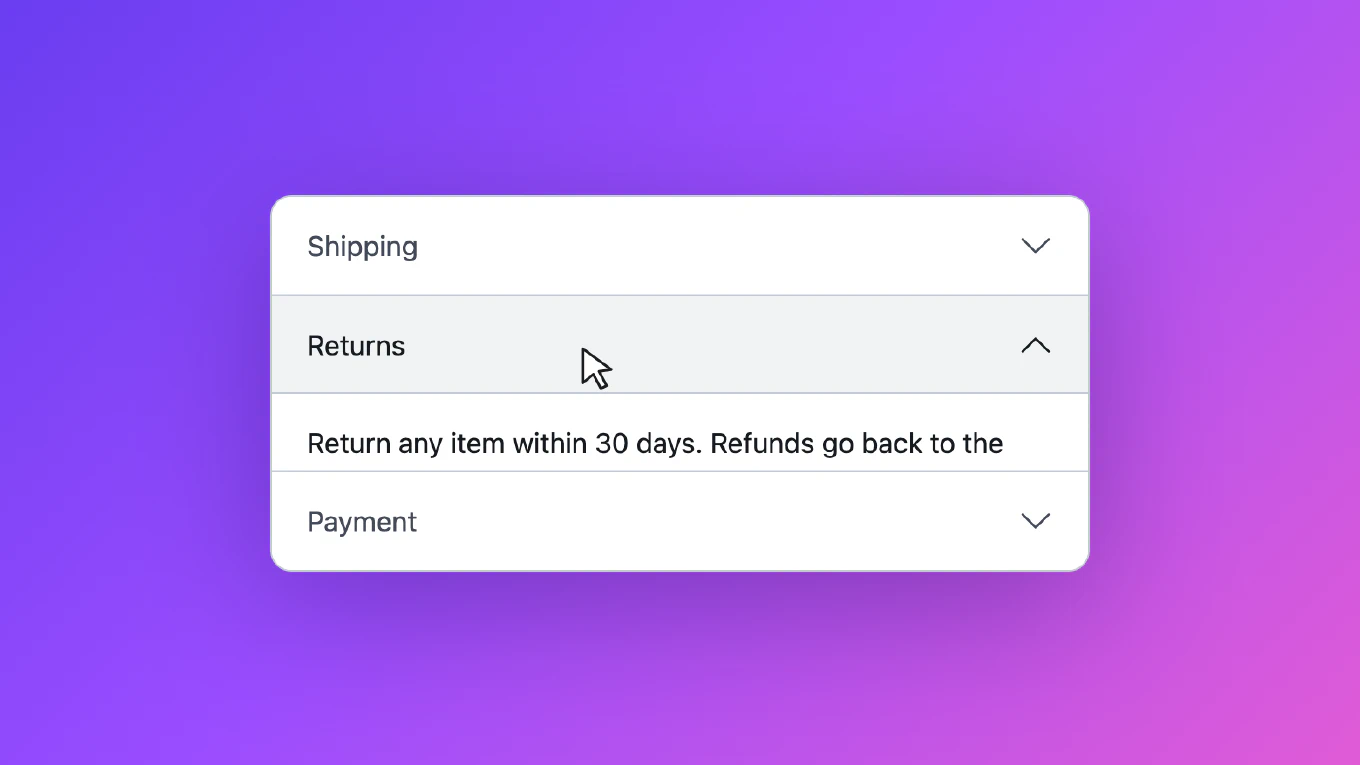
<div class="accordion" id="faq">
  <details data-key="shipping">
    <summary>Shipping</summary>
    <div>Orders ship within two business days.</div>
  </details>
  <details data-key="returns">
    <summary>Returns</summary>
    <div>Return any item within 30 days.</div>
  </details>
  <details data-key="payment">
    <summary>Payment</summary>
    <div>Cards and bank transfers.</div>
  </details>
</div>
Let the accordion be the only code that writes open. If your framework
renders it too, you have two writers to keep in step.
Rule 1: take the click, then ask
Cancel the summary click and turn it into a request:
const SELECTOR_NATIVE_CONTROL = 'a[href], button, input, label, select, textarea'
const SELECTOR_CUSTOM_CONTROL = '[contenteditable], [role="checkbox"], [role="switch"]'

function onSummaryClick(accordion, event) {
  const summary = event.target.closest('summary')
  const details = summary?.parentElement
  const inSummary = selector => summary.contains(event.target.closest(selector))

  if (!summary || event.defaultPrevented || details.parentElement !== accordion.root) {
    return
  }

  // The browser does not toggle the item for a native control, and the control keeps its click.
  if (inSummary(SELECTOR_NATIVE_CONTROL)) {
    return
  }

  event.preventDefault()

  if (inSummary(SELECTOR_CUSTOM_CONTROL) || accordion.moving(details)) {
    return
  }

  accordion.request(details, !accordion.isOpen(details))
}
A label, a button or a link inside the summary keeps its click, and the
browser does not toggle the item for it. A custom control, like an element with
role="switch", is not interactive content for the browser, so the summary
would toggle the item as well: the accordion cancels that toggle and sends no
request. Without both checks, a “select all” checkbox in a header toggles the
section instead of itself. A click on an item that is still moving is ignored,
so a double click does not open and close it in one go. The cost is that a
keyboard user who presses Enter twice in a row has to wait for the
first movement, where the panel animates, before the second press counts.
Take the click in every browser. If some browsers are left to toggle the item natively, the accordion is controlled in the others only.
A refused click changes nothing on screen. As far as we can tell from the DOM, nothing is announced either, so check it with your screen reader. If the page refuses on purpose, tell the user why, for example with a message next to the step that is not valid yet.
Rule 2: the DOM follows the value
The page owns the value. The accordion keeps one writer for details.open, a
drive() function that compares the value with what the item last reported:
- When they differ, it writes
openand reportsshoworhide, thenshownorhiddenwhen the movement ends. - When they match but the element does not, it puts the element back, without events.
- It remembers the state it wrote last. A
togglethat ends in that state is its own and does not come back as a request. The browser can merge several changes of one task into a singletoggle, so a flag that only says “I just wrote” would also swallow a change the browser made right after.
function settleDelay(details) {
  const style = getComputedStyle(details, '::details-content')
  const durations = style.transitionDuration.split(',').map(parseFloat)
  const delays = style.transitionDelay.split(',').map(parseFloat)
  const count = Math.max(durations.length, delays.length)

  return Math.max(0, ...Array.from({ length: count }, (_, i) =>
    (durations[i % durations.length] + delays[i % delays.length]) * 1000 || 0))
}

class ControlledAccordion {
  constructor(root, { value = [], multiple = false, onChange = () => {} } = {}) {
    this.root = root
    this.multiple = multiple
    this.onChange = onChange
    this.state = new WeakMap()
    this.timers = new Set()
    this.ready = false
    this.onClick = event => onSummaryClick(this, event)
    this.onToggle = event => this.toggled(event.target)
    root.addEventListener('click', this.onClick)
    // `toggle` does not bubble, so the accordion listens in the capture phase.
    root.addEventListener('toggle', this.onToggle, true)
    this.setValue(value)
    this.ready = true
  }

  get items() {
    return [...this.root.children].filter(child => child.localName === 'details')
  }

  stateOf(details) {
    if (!this.state.has(details)) {
      this.state.set(details, { reported: this.ready ? details.open : null, timer: null, written: null })
      if (!this.multiple) {
        details.name = this.root.id
      }
    }

    return this.state.get(details)
  }

  setValue(value) {
    this.value = this.multiple ? [...value] : value.slice(-1)
    this.items.forEach(details => this.drive(details))
  }

  isOpen(details) {
    return this.value.includes(details.dataset.key)
  }

  moving(details) {
    return this.stateOf(details).timer !== null
  }

  request(details, open) {
    const key = details.dataset.key
    if (open === this.isOpen(details)) {
      return
    }

    const others = this.multiple ? this.value : []
    this.onChange(open ? [...others, key] : this.value.filter(item => item !== key))
  }

  write(details, open) {
    if (details.open !== open) {
      this.stateOf(details).written = open
      details.open = open
    }
  }

  emit(details, type) {
    details.dispatchEvent(new Event(type, { bubbles: true }))
  }

  later(callback, delay) {
    const timer = setTimeout(() => {
      this.timers.delete(timer)
      callback()
    }, delay)
    this.timers.add(timer)
    return timer
  }

  drive(details) {
    const state = this.stateOf(details)
    const open = this.isOpen(details)

    if (state.timer) {
      return
    }

    if (state.reported === null) {
      state.reported = open
      this.write(details, open)
      if (open) {
        this.emit(details, 'show')
        this.emit(details, 'shown')
      }

      return
    }

    if (state.reported === open) {
      this.write(details, open)
      return
    }

    if (open && this.siblingOpening(details)) {
      return
    }

    state.reported = open
    if (open) {
      this.driveOthers(details)
    }

    this.write(details, open)
    state.timer = this.later(() => {
      state.timer = null
      this.emit(details, open ? 'shown' : 'hidden')
      this.drive(details)
      this.driveOthers(details)
    }, settleDelay(details))
    this.emit(details, open ? 'show' : 'hide')
  }

  siblingOpening(details) {
    return !this.multiple && this.items.some(other =>
      other !== details && this.moving(other) && this.stateOf(other).reported)
  }

  driveOthers(details) {
    if (!this.multiple) {
      this.items.filter(other => other !== details).forEach(other => this.drive(other))
    }
  }

  toggled(details) {
    if (details.parentElement !== this.root) {
      return
    }

    const state = this.stateOf(details)
    const own = state.written === details.open
    state.written = null
    if (own) {
      return
    }

    // The browser closed this item because another one of the group opened.
    const closedByGroup = !details.open && !this.multiple && this.items.some(other => other.open)
    if (!closedByGroup) {
      this.request(details, details.open)
    }

    this.later(() => this.drive(details))
  }

  destroy() {
    this.root.removeEventListener('click', this.onClick)
    this.root.removeEventListener('toggle', this.onToggle, true)
    this.timers.forEach(timer => clearTimeout(timer))
    this.timers.clear()
  }
}
To accept a change, the page passes the new value back. To refuse it, the page does nothing:
const accordion = new ControlledAccordion(document.querySelector('#faq'), {
  value: ['shipping'],
  onChange: value => accordion.setValue(value)
})
The events bubble, so one listener on the accordion catches every item. Attach
it before you create the controller: an item that is open at the start reports
show and shown from the constructor. Render that item with open in the
markup, or create the controller before the page first renders. Otherwise the
panel animates open after shown has already gone out.
The value is an array of keys. Without multiple, the accordion keeps only the
last key, because the browser would close the other items anyway. If your page
keeps its own copy of the value, keep that one to a single key too. Items added
to the markup later are picked up by the next setValue() call or by the
first click on them, and they move with the same events as the others.
Rule 3: report from the state, after the movement
show and hide go out when an item starts to move, shown and hidden
when it stops. Pages use the second pair to move focus into a panel, scroll it
into view or load its content, so it has to arrive when the panel is open.
Do not take these events from toggle. It fires for a change you are about to
put back, it never fires for an item that was already in the right state, and
on a sibling the browser closed it does not tell you that the close was part
of a movement.
Do not wait for transitionend either. The height of an open <details> is
animated on its ::details-content pseudo-element:
@supports (interpolate-size: allow-keywords) {
  .accordion {
    interpolate-size: allow-keywords;
  }

  .accordion details::details-content {
    block-size: 0;
    overflow-y: clip;
    transition: block-size .3s ease, content-visibility .3s allow-discrete;
  }

  .accordion details[open]::details-content {
    block-size: auto;
  }
}

@media (prefers-reduced-motion: reduce) {
  .accordion details::details-content {
    transition: none;
  }
}
In Chromium, a transitionrun or transitionend listener on the document saw
nothing for that transition in our tests, and getAnimations({ subtree: true })
on the <details> element did not list it. That is why settleDelay() reads
the durations and the delays of the pseudo-element from the computed style.
Where interpolate-size is not supported, which in MDN’s compatibility data
in November 2026 is Firefox, and Safari outside its Technology Preview, the
panel opens without a height animation, the delay is zero and shown follows
on the next task. We did not run any of this in Safari.
Rule 4: close the siblings before the opener reports
In an accordion without multiple, opening one item closes the other. The
opening item drives the others first, so they close through the same code as a
click on their own header, and their hide comes before the opener’s show
whatever their order in the markup. Their hidden follows when their own
movement ends. Without that step the order of the two events depends on which
item comes first in the markup.
Two items are never on their way to open at the same time. A request to open
an item while another one of the group is still opening waits until that one
finishes. Without the wait, the browser closes the first item halfway and its
shown arrives for a panel that is already shut.
Rule 5: a change the browser makes is a request
Find-in-page and a link to a fragment open a closed item without asking. Treat
that toggle like a click: send the request, and on the next task bring the
element back to what the value says. If the page accepted the change, the value
now includes the item and nothing moves. If it refused, the item closes again.
In an accordion without multiple, the browser also closes the open item at
the same time. That close is a consequence, not a request of its own, so the
accordion does not pass it on, and the item opens again if the page refuses.
We tested this by setting details.open from outside, which goes through the
same toggle path. We did not drive the browser’s find bar.
A page that accepts the change later than the next task, for example after a router navigation or another deferred update, sees the item close and open again. If your accordion is driven like that, accept the change in the same task and do the slow part afterwards.
Rule 6: a change of value during a movement waits
An “Expand all” button can set the value while an item is still closing. The
item finishes the movement it is in, reports hidden, then sees the new value
and opens with show and shown. Every show is followed by shown and
every hide by hidden, unless the accordion is destroyed during the
movement, which clears its timers and drops the pending events.
Using it from React or Vue
The controller is what we ran in real browsers. The wiring below is a sketch
we did not run. A React component creates the controller once, passes the
value to it after every commit, so items rendered later are picked up too, and
calls the newest onChange:
function Accordion({ value, onChange, children }) {
  const ref = useRef(null)
  const accordion = useRef(null)
  const latest = useRef(onChange)

  useLayoutEffect(() => {
    latest.current = onChange
  })

  useLayoutEffect(() => {
    accordion.current = new ControlledAccordion(ref.current, { value, onChange: next => latest.current(next) })
    return () => accordion.current.destroy()
  }, [])

  useLayoutEffect(() => {
    accordion.current.setValue(value)
  })

  return <div className="accordion" id={useId()} ref={ref}>{children}</div>
}
In Vue the same calls go into onMounted, onUpdated and onBeforeUnmount.
Testing it
Run the tests in a real browser. jsdom, in our unit tests, neither closes the
other items of a name group nor runs CSS transitions, so it passes code that
fails in a browser. These are the cases we ran in Chromium and Firefox. Firefox
had a short opacity transition on the panel so the timing cases had a window to
hit, and the height checks are meaningful in Chromium only, where the height
animates:
- A click with a page that refuses: nothing opens and no
showis sent, while the request does reach the page. - A click in an accordion without
multiple: the sibling sendshidebefore the opener sendsshow, andhiddenexactly once, whichever item comes first in the markup. shownarrives when the panel has reached its full height, also with atransition-delay.- A click on a header while another item is still opening: the second item opens once the first one finishes.
- Setting
details.openfrom outside with a page that refuses: the item closes again and the sibling the browser closed opens again. - A click on a label or a custom switch inside a summary: the control changes, the item does not.
- An item added after the controller was created: its first click opens it with a full movement.
- Reduced motion:
shownfollows without a delay. - Destroying the accordion during a movement: no late
shown, and no request from a latertoggle.
Wait for the events in the tests, not for fixed times, and check both what happened and that the request reached the page, so a test with no listener attached cannot pass.
Common mistakes
- Leaving the summary click to the browser and listening to
toggle, so a refused change opens the item anyway. - Taking the click in some browsers only.
- Firing
shownfrom the click or fromtoggle, before the panel moves. - Opening the new item before driving the old one, so the order of
hideandshowdepends on the markup. - Passing on the close of a sibling that the browser made, which turns a refused match into an accordion with nothing open.
- Waiting for
transitionendon::details-content. - Cancelling clicks on native controls inside the summary, or letting a custom control toggle the item.
- Leaving the click listener behind on destroy, so a dead instance answers a click instead of the live one.
How CoreUI handles it
In CoreUI v6, the accordions for
React and
Vue take the summary
click in every browser and keep the open items on the accordion: value,
defaultValue and onChange in React, v-model in Vue, with multiple for
items that may stay open together. Every item reports onShow, onShown,
onHide and onHidden (show, shown, hide and hidden in Vue), whatever
opened or closed it, and they also animate the height in JavaScript where
interpolate-size is not supported, which the controller in this guide leaves
out. The
vanilla JavaScript accordion
works on the markup instead, and its show and hide events can be cancelled
with preventDefault() when the change comes from a click or a method call.