How to Build an OTP Input: One Real Input or One per Digit
 Łukasz Holeczek
Follow Łukasz Holeczek on GitHub
Connect with Łukasz Holeczek on LinkedIn
Follow Łukasz Holeczek on X (Twitter)
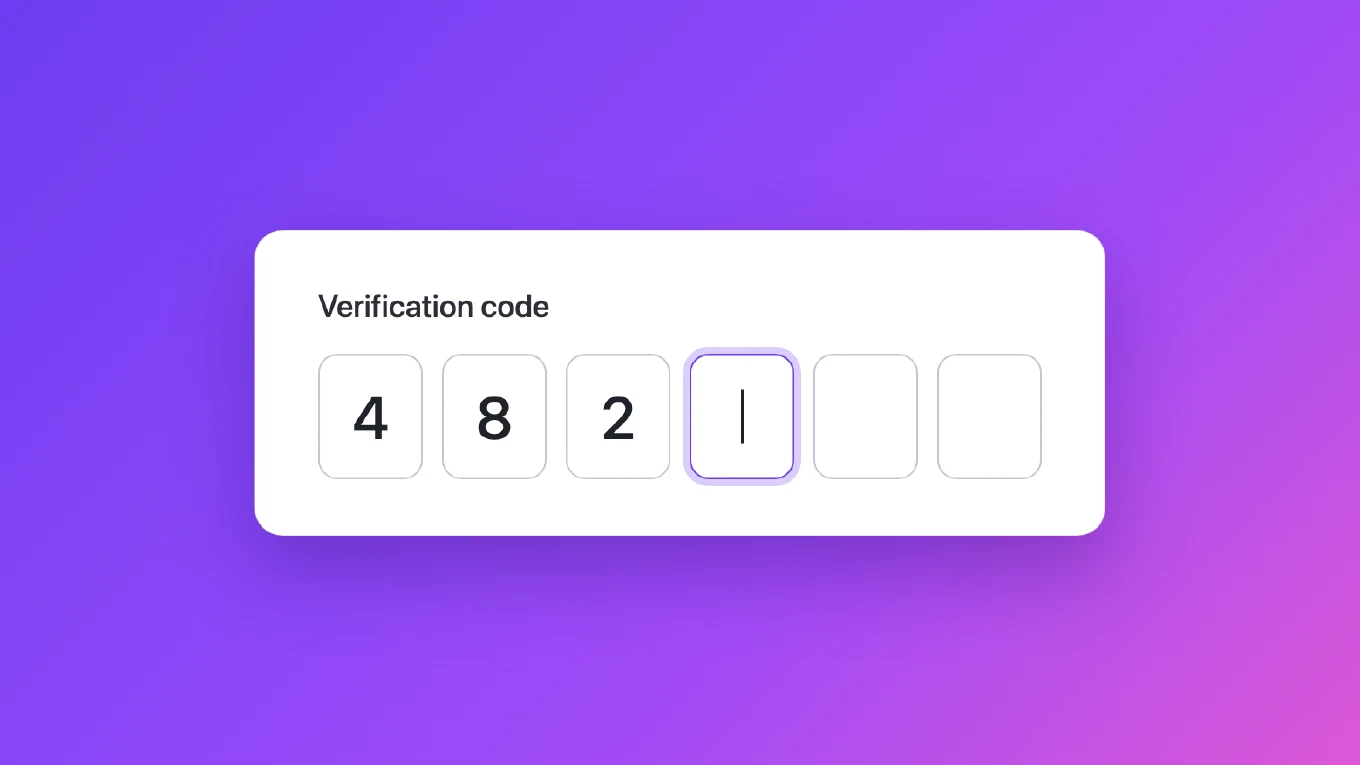
A verification code field usually looks like a row of boxes, one per
character. There are two ways to build it. You can render one <input> per
box and move the focus from box to box, or you can render one real <input>
and draw the boxes underneath it from its value and its selection.
The two look the same, but they are not the same amount of work. A field per digit splits one value over six editors, so it has to rebuild, box by box, how text is replaced, composed, undone and autofilled, and a screen reader meets six fields instead of one. A single input keeps the browser’s editing model, the undo history of the edits that go through it, and one name for the whole code; the script still handles the slot selection, IME composition and text inserted several characters at once. This guide compares the two models, then builds the single input with that short list.
Speed up your responsive apps and websites with fully-featured, ready-to-use open-source admin panel templates—free to use and built for efficiency.




Two ways to build it
One input per digit. Six <input> elements, each holding one character.
Typing a digit moves the focus to the next box, Backspace in an empty box
moves it back, and a paste is split across the boxes. A hidden field or a
script joins the boxes into the value the form sends.
One input under drawn slots. One <input maxlength="6"> holds the whole
code. It sits on top of six drawn boxes, transparent, so every click, key,
paste and autofill goes to a normal text field. A script draws each box from
the input’s value and marks the box at the caret as active.
What a field per digit has to rebuild
Each box is a real text field, so it edits like one, and the code is spread over six of them. That is where the work comes from:
- Typing over a filled box. A box with
maxlength="1"that already holds a digit refuses a second one. The field has to select the box’s content on focus so the next key replaces it, and it has to do that again on every way the caret can land there. - The
maxlengthtrade-off. Withmaxlength="1", the first box also refuses an autofilled code or a code the keyboard inserts in one go, so the field has to give the first box a longer limit. Without a limit, an insertion into a filled box arrives glued to the old character (9plus123456becomes9123456), and the field has to work out which part is new. In two per-digit components I read, not ran: Zag.js pin-input 1.46.0 compares the box with its old character (pin-input.machine.mjs,getNextValue), and Base UI OTPField 1.9.0 gives only the first input amaxLengthand writes every cleaned character from the edited box onward (OTPFieldInput.mjs,onChange). - IME composition. A composition has to stay in one box until it ends,
while the field moves the focus and splits text on
input. - A screen reader hears a label on every box (“Character 2 of 6”) and each box is a separate field. With every filled box in the tab order, Shift+Tab walks back through all of them: in my tests, seven presses to get past six filled boxes, two once the field kept a single tab stop.
In my tests in Chromium and Firefox I ran the same scenarios on two fields: an OTP field with one input per box, and the single-input OTP field on Bootstrap 6’s main branch. The expected result is in the first column:
| scenario (expected) | one per digit | one input |
|---|---|---|
full code, click a box twice, type 9 (9 replaces the digit) |
the 9 is lost |
9 replaces it |
paste 123456, then undo (empty field) |
the code stays | the field is empty |
IME composition of ab, Chromium only (ab) |
aaba |
ab |
form reset to a full default code (no complete) |
sends complete |
no complete |
| accessibility tree (one text field) | a group of six text fields | one text field |
By hand on an iPhone in Safari, on the same two fields: a tap on a filled box and a digit typed the digit and moved on in both. Undo by shaking the phone after a paste emptied the single-input field; in the per-digit field the first shake removed only the last digit and the second left one digit, not an empty field. With VoiceOver on macOS in Safari, Tab into the single-input field announced its name once, and each typed digit was answered with the code so far: “1”, “12”, “123”. In the per-digit field each digit moved the focus, VoiceOver read the next box’s label, and the digit itself was heard in two or three of five steps.
Both fields failed the same four cases, which the code below fixes; the last row is each field’s own filter, which kept only ASCII digits:
scenario (expected 123456) |
one per digit | one input |
|---|---|---|
123 456 inserted in one go |
12345 |
12345 |
type 1, then a suggested code 123456 |
11 |
112345 |
full code 999999, then 123456 inserted |
999999 |
999991 |
full-width digits 123456 |
empty | empty |
How one input under drawn slots works
The whole idea in one sentence: one real input holds the code, and the active
slot is nothing but the input’s selection, drawn in the slots under it. The
markup is a container and one ordinary input. Everything the browser needs is
on the input: a label, the length, the keyboard to show, and
autocomplete="one-time-code", which lets the system offer a code
from a text message.
<form>
  <label for="code">Verification code</label>
  <div class="otp" data-otp>
    <input id="code" name="code" required
           maxlength="6" pattern="[0-9]{6}"
           inputmode="numeric" autocomplete="one-time-code"
           autocorrect="off" autocapitalize="off" spellcheck="false">
  </div>
  <button>Verify</button>
</form>
Without JavaScript this is a working code field. With it, the script adds the
otp-rendered class and the slots, and the CSS puts the input on top of them,
transparent, so the user sees the slots and touches the input:
.otp {
  position: relative;
  display: inline-flex;
}

.otp-rendered input {
  position: absolute;
  inset: 0;
  width: 100%;
  height: 100%;
  padding: 0;
  font-size: 1rem;
  color: transparent;
  -webkit-text-fill-color: transparent;
  caret-color: transparent;
  background: transparent;
  border: 0;
  outline: 0;
  forced-color-adjust: none;
}

.otp-rendered input::selection {
  color: transparent;
  background: transparent;
}

.otp-slots {
  display: flex;
  gap: .5rem;
  pointer-events: none;
}

.otp-slot {
  display: grid;
  place-items: center;
  width: 2.75rem;
  height: 3.25rem;
  font: 500 1.5rem/1 system-ui, sans-serif;
  border: 1px solid #8a8f98;
  border-radius: .5rem;
}

.otp-slot-active {
  outline: 2px solid #4f46e5;
  outline-offset: -1px;
}

.otp-slot-selected {
  color: HighlightText;
  background: Highlight;
}

@media (forced-colors: active) {
  .otp-slot-active {
    outline-color: Highlight;
  }
}
The slots are aria-hidden: a screen reader reads the input, its label and
its value, and nothing else. forced-color-adjust: none keeps the input
transparent when the system forces its own colors: in Chromium with forced
colors emulated, the input’s text color stopped being transparent without it.
The script
The script draws the slots, keeps the selection on one slot, and cleans every piece of text before it reaches the value:
const SEVERAL = new Set(['insertText', 'insertReplacementText', 'insertFromDrop'])

class OtpField {
  constructor(root) {
    const input = root.querySelector('input')
    this.root = root
    this.input = input
    this.length = input.maxLength
    this.filter = input.inputMode === 'numeric' ? /[^0-9]/g : /[^A-Za-z0-9]/g
    this.mask = input.type === 'password'
    this.clickedSlot = null
    this.writing = false
    this.beforeComposition = null

    input.value = this.clean(input.value)
    this.lastComplete = this.completeValue()

    this.box = document.createElement('div')
    this.box.className = 'otp-slots'
    this.box.setAttribute('aria-hidden', 'true')
    this.slots = Array.from({ length: this.length }, () => {
      const slot = document.createElement('div')
      slot.className = 'otp-slot'
      return this.box.appendChild(slot)
    })
    root.append(this.box)
    root.classList.add('otp-rendered')

    input.addEventListener('pointerdown', event => this.onPointerDown(event))
    input.addEventListener('focus', () => this.onFocus())
    input.addEventListener('keydown', event => this.onKeyDown(event))
    input.addEventListener('beforeinput', event => this.onBeforeInput(event))
    input.addEventListener('paste', event => this.onPaste(event))
    input.addEventListener('input', () => this.onInput())
    input.addEventListener('compositionstart', () => this.onCompositionStart())
    input.addEventListener('compositionend', event => this.onCompositionEnd(event))
    for (const type of ['blur', 'keyup', 'select', 'selectionchange']) {
      input.addEventListener(type, () => this.render())
    }
    input.getRootNode().addEventListener('reset', event => this.onReset(event), true)
    this.render()
  }

  clean(text) {
    return text.normalize('NFKC').replace(this.filter, '').slice(0, this.length)
  }

  completeValue() {
    return this.input.value.length === this.length ? this.input.value : null
  }

  setValue(value) {
    this.input.value = this.clean(value)
    this.lastComplete = this.completeValue()
    this.render()
  }

  isRtl() {
    return getComputedStyle(this.box).direction === 'rtl'
  }

  select(index) {
    const slot = Math.max(0, Math.min(index, this.length - 1))
    const end = slot < this.input.value.length ? slot + 1 : slot
    this.input.setSelectionRange(slot, end)
    this.render()
  }

  slotAt(x) {
    const rtl = this.isRtl()
    const index = this.slots.findIndex(slot => {
      const { left, right } = slot.getBoundingClientRect()
      return rtl ? x >= left : x <= right
    })
    return index === -1 ? this.length - 1 : index
  }

  onPointerDown(event) {
    const index = this.slotAt(event.clientX)
    if (this.input.matches(':focus')) {
      event.preventDefault()
      this.select(index)
    } else {
      this.clickedSlot = index
    }
  }

  onFocus() {
    this.select(this.clickedSlot ?? this.input.value.length)
    this.clickedSlot = null
  }

  onKeyDown(event) {
    const { key } = event
    const modified = event.altKey || event.ctrlKey || event.metaKey || event.shiftKey
    if ((key !== 'ArrowLeft' && key !== 'ArrowRight') || modified || event.isComposing || event.defaultPrevented) {
      return
    }

    const back = (key === 'ArrowLeft') !== this.isRtl()
    event.preventDefault()
    this.select(this.input.selectionStart + (back ? -1 : 1))
  }

  onBeforeInput(event) {
    if (this.writing) {
      return
    }

    const text = event.data ?? event.dataTransfer?.getData('text') ?? ''
    if (text.length > 1 && SEVERAL.has(event.inputType)) {
      if (event.cancelable) {
        event.preventDefault()
        this.insert(text)
      }

      return
    }

    if (event.inputType !== 'insertText') {
      return
    }

    const char = this.clean(text)
    if (!char) {
      event.preventDefault()
      return
    }

    if (this.input.selectionStart === this.input.selectionEnd) {
      this.select(this.input.selectionStart)
    }
  }

  onPaste(event) {
    event.preventDefault()
    this.insert(event.clipboardData.getData('text'))
  }

  insert(text) {
    const { input } = this
    const code = this.clean(text)
    let start = input.selectionStart
    let end = input.selectionEnd
    if (code.length === this.length) {
      start = 0
      end = input.value.length
    }

    const fits = code.slice(0, this.length - input.value.length + end - start)
    if (fits && !input.readOnly) {
      this.write(fits, start, end)
    }
  }

  write(text, start, end) {
    const { input } = this
    input.setSelectionRange(start, end)
    this.writing = true
    const done = input.matches(':focus') && document.execCommand('insertText', false, text)
    this.writing = false
    if (!done) {
      input.setRangeText(text, start, end, 'end')
      input.dispatchEvent(new InputEvent('input', { bubbles: true, inputType: 'insertFromPaste', data: text }))
    }
  }

  onCompositionStart() {
    const { value, selectionStart, selectionEnd } = this.input
    this.beforeComposition = { value, selectionStart, selectionEnd }
  }

  onCompositionEnd(event) {
    const before = this.beforeComposition
    const text = event.data
    setTimeout(() => {
      if (this.beforeComposition !== before) {
        return
      }

      this.beforeComposition = null
      this.input.value = before.value
      this.input.setSelectionRange(before.selectionStart, before.selectionEnd)
      this.insert(text)
      this.onInput()
    })
  }

  onInput() {
    if (this.beforeComposition) {
      return
    }

    const { input } = this
    const caret = this.clean(input.value.slice(0, input.selectionStart)).length
    const value = this.clean(input.value)
    if (value !== input.value) {
      input.value = value
    }

    if (input.matches(':focus')) {
      this.select(caret)
    }

    this.render()
    const complete = this.completeValue()
    if (complete && complete !== this.lastComplete) {
      this.root.dispatchEvent(new CustomEvent('complete', { detail: complete }))
    }

    this.lastComplete = complete
  }

  onReset(event) {
    const form = event.target
    if (form !== this.input.form) {
      return
    }

    setTimeout(() => this.setValue(this.input.value))
  }

  render() {
    const { value, selectionStart, selectionEnd } = this.input
    const focused = this.input.matches(':focus')
    const range = selectionEnd - selectionStart > 1
    for (const [index, slot] of this.slots.entries()) {
      slot.textContent = value[index] ? (this.mask ? '•' : value[index]) : ''
      slot.classList.toggle('otp-slot-active', focused && index === Math.min(selectionStart, this.length - 1))
      slot.classList.toggle('otp-slot-selected', focused && range && index >= selectionStart && index < selectionEnd)
    }
  }
}

const start = () => {
  for (const root of document.querySelectorAll('[data-otp]:not(.otp-rendered)')) {
    new OtpField(root)
  }
}

if (document.readyState === 'loading') {
  document.addEventListener('DOMContentLoaded', start)
} else {
  start()
}
Listen for complete on the container, where it is dispatched; it does not
bubble. event.detail holds the code, and a handler that waits for a server
checks that event.detail is still input.value before it acts on the answer.
The script reads the length from maxlength and the character set from
inputmode, so keep pattern in step with both. The listing has no
teardown: a page that removes fields also has to remove the reset listener
on the input’s root node, and start() skips a container it has already
drawn. The slots are all the user sees, so carry the input’s states onto
them, for example with .otp:has(input:disabled) .otp-slot.
The rules, one at a time
A slot is a selection
After every click, arrow key and edit, select() selects one slot: the
character in it, so the next key replaces it the way the browser replaces any
selected text, or a collapsed caret when the slot is empty. A click on a slot
selects that slot, also when the input already has the focus, and focus from
Tab selects the first empty slot. Backspace and Delete remove the selected
character and the code closes the gap, because the value is one string with
no place for an empty slot in the middle; the slot that now holds the next
character is selected. A click or an arrow past the first empty slot lands on
it, because the browser does not put a selection past the end of the value. A
wider selection, from Shift with an arrow or select all, is drawn on every
slot it covers, so the user sees what the next key will replace.
Arrow keys move one slot
The browser’s ArrowLeft only collapses the selection to its start, so the next
key would replace the same slot again. onKeyDown() moves the selection one
slot per press and leaves the key to the browser when Shift, Alt, Ctrl or Meta
is held, during a composition, or when another handler cancelled it. Both the
arrows and slotAt() read the computed direction of the slots. On a
right-to-left page the slots follow the page, like the rest of the form, as
they do in Bootstrap’s field, Zag.js pin-input and Base UI OTPField; a page
whose codes should read left to right sets dir="ltr" on the container.
Clean every character the same way
clean() runs on every piece of text. It normalizes the text with NFKC first, which turns full-width
digits from a Japanese or Chinese keyboard (123) into ASCII digits, and
only then drops what the type does not allow. A typed key that cleans to
nothing is cancelled in beforeinput; if it got through, it would replace the
selected slot and then be filtered out, and the code would lose a character.
Several characters at once go the paste way
The browser applies maxlength to the raw text when it inserts it, before
the input event. A code inserted in one go with a space, 123 456, loses
its last digit to the space, and a code inserted after one typed digit is cut
to fit. So a beforeinput with several characters, insertText,
insertReplacementText or a drop, is cancelled and sent through insert(),
the same function as a paste. insert() cleans first and measures second. A
full code replaces the whole value, wherever the caret was, and a shorter one
replaces the selection.
write() inserts with document.execCommand('insertText'), which the browser
records as an edit, so undo takes the paste back. MDN marks the command as
deprecated. Undo may skip text the script assigns to input.value (a cleaned
character, a composition), and in my tests it did not take back text inserted
with setRangeText(), the fallback for an input without the focus or a
refused command. The
writing flag keeps onBeforeInput() out of the command, and a read-only
input takes no insertion.
An IME composition cannot be cancelled, and by the time it ends the browser
has applied maxlength to the composed text: in my tests in Firefox,
committing 123 into a field with five digits kept only 1. So the
script keeps the value and the selection from compositionstart, and at
compositionend hands them and the committed text, event.data, to a timer
that puts the value back and sends the text through insert(). A timer that
finds a newer composition open does nothing. Playwright delivered inserted
text to Firefox as one composition, so in Firefox my tests ran this path, not
the beforeinput one. Base UI’s OTPFieldInput.mjs carries a comment that
some Android keyboards report all text as always composing; I read it and did
not measure it, and a beforeinput with several characters that cannot be
cancelled outside a composition is left to the browser, so type, paste and
accept a suggested code on an Android phone before you ship.
Ask for the full length in pattern
required passes a code with one digit, and the HTML specification checks
minlength only for a value the user edited last: in my tests, a value set
by script with minlength="6" and three digits was valid. pattern="[0-9]{6}"
blocks an incomplete code whatever wrote it, so with validation on, a form
does not submit half a code. Check the length on the server anyway.
Send complete for each full code an edit makes
complete fires each time an edit turns the value into a full code, and not
again while the same full code stays in the field: typing a digit over itself
or pasting the code already there sends nothing, while Backspace and the same
digit again send it a second time. A form reset is not an edit: setValue()
updates lastComplete without an event. Your own code calls setValue() too.
Assigning input.value fires no event, and in my tests Firefox kept the old
code in the slots of an unfocused field; dispatching an input event instead
would redraw them, but would count as an edit and send complete.
Keep a masked field a password field
For a PIN, put type="password" on the input and leave it there. The script
draws dots in the slots; the input stays a password field, which does not copy
its value to the clipboard. In my tests in Chromium and Firefox, typing, a
click on a slot, a formatted paste, undo and Backspace gave the same values on
a password input as on a text input, and so did an IME composition in
Chromium. What a password manager offers for the field is for you to check.
Turn off autocorrect and autocapitalize
On an iPhone, Bootstrap’s single-input field for letters, which had only
spellcheck="false", showed correction suggestions above the keyboard; the
per-digit field, with autocorrect="off" and autocapitalize="off" on every
box, did not. That those two attributes are the difference is my reading, and
I did not run this listing on an iPhone.
Start when the DOM is ready, not when the page has loaded
Until the script runs, the user sees the bare input, so start on
DOMContentLoaded, or at once if it has fired; load waits for every image.
Redraw after a form reset, and read the target first
A form reset changes the value without an input event, so the slots keep
showing the old code. The script listens for reset and redraws after a
timer, because the browser restores the default values after the event. A
microtask is too early: when the user clicks a reset button, it runs before
the browser has restored them.
Two details make that work inside a shadow root. The reset event does not
leave the shadow root, so the listener goes on input.getRootNode(), not on
document. And after the dispatch, the browser clears event.target of an
event that happened in a shadow tree, so onReset() reads the target before
the timer, not inside it. The slots follow the selection through events on
the input itself: in my tests Firefox fired selectionchange at the input,
where from a shadow root it never reached document, and Chromium fired
select there for every selection change.
Testing it
These cases run in a test page built from the code in this post, in Chromium and Firefox, and breaking any rule above makes at least one of them fail in Chromium:
- typing six digits fills the slots and sends
completeonce; Tab lands on the first empty slot, and a digit typed with the caret inside the code replaces the digit after it; - a click on a filled slot, then a digit, replaces that digit, also on a second click; a letter typed over a selected digit leaves it in place;
- the arrows move one slot, mirrored on a right-to-left page and not with
dir="ltr"on the container, and stop at the first empty slot; Shift with an arrow keeps the browser’s selection, and every selected slot is drawn; - Backspace and Delete remove the selected digit and select the next one;
123 456inserted in one go gives123456, and so do a suggested code after one typed digit and a full code inserted into a full field (Chromium runs thebeforeinputpath, Firefox the composition path);- a paste of
123-456gives123456, undo empties the field, and a read-only field takes no paste; - full-width digits become ASCII digits, an IME composition of
12commits12(Chromium only), and a second composition that starts before the first is committed leaves both (synthetic events); - three digits fail validation, six pass;
completefires after Backspace and the same digit, not for a digit typed over itself, not on reset and not onsetValue();- a masked field stays
type="password"and draws dots; - a form reset redraws the slots, also inside a shadow root, where the active slot follows the selection too;
start()run twice draws one row of slots, and the slots appear before the page’sloadevent;- with forced colors, the input stays transparent (Chromium only).
Check by hand: undo by shaking, the code suggestion from a text message, a browser or password-manager autofill (its autofill style may paint over the slots), a tap on a filled slot on a real phone, an IME on a phone keyboard, and what a screen reader says. I did not run this code in Safari or WebKit, so run these cases there first. The only screen reader I used was VoiceOver on macOS; listen to the field with NVDA, JAWS, TalkBack and VoiceOver on iOS as well.
In CoreUI
Our OTP input for vanilla JavaScript, React and Vue is built this way: one
real input over slots that are drawn from its value and hidden from screen
readers. The input keeps autocomplete="one-time-code", gets a pattern for
the full length and autocorrect and autocapitalize turned off, stays a
password field when masked, normalizes text with NFKC, sends multi-character
insertions through the same path as a paste, sends complete each time an
edit turns the value into a full code and not again while that code stays,
and redraws after a form reset, also inside a shadow root. In React and Vue
the component renders the slots itself from its state, including the text of
an IME composition in progress.